 RailsMaps
iOS & Android app
All rail, in your pocket.
See how the rail network is built. RailsMaps maps railway, metro and tram lines in 1,100+ regions (countries, states, provinces, cities): max speeds, lines under construction, proposed routes, disused and abandoned lines, stations, level crossings, bridges and tunnels, electrification and track gauge. It's an infrastructure map, not a journey planner. Pick a region and you get every line, from national main lines to city trams, downloadable for offline use.
- · 1,100+ regions
- · 8 rail types
- · 13 languages
$4.99 once · no subscription · no ads
Why the app when the site is free?
railsmaps.com stays free in any browser, with the same OpenStreetMap data and the same map modes. The app adds what a browser can't: regions stored on your phone for use with no signal, custom presets kept on the device, and optional position on the network. Buying the app also gives you 2 free weeks of the web export pass for styling and exporting watermark-free PNGs on the site.
Built on OpenStreetMap
All rail data comes from OpenStreetMap contributors — the same source as railsmaps.com. Coverage and attribute completeness depend on OSM activity in each region.
Web links open the app
With the app installed, any railsmaps.com region URL opens the matching map view in the app — from search results, messages or shared links. Without the app, it opens on the web.
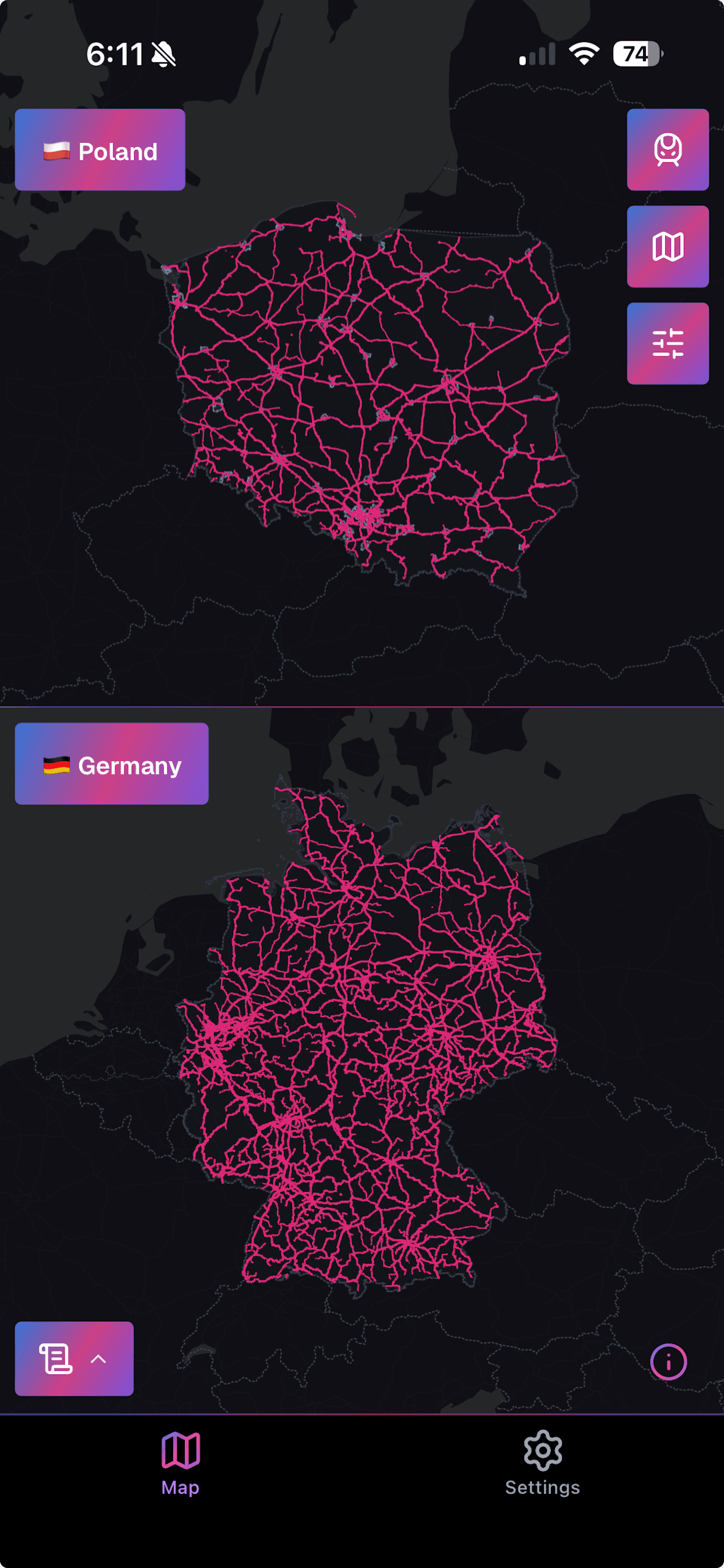
See it in action
What the app gives you
Map view
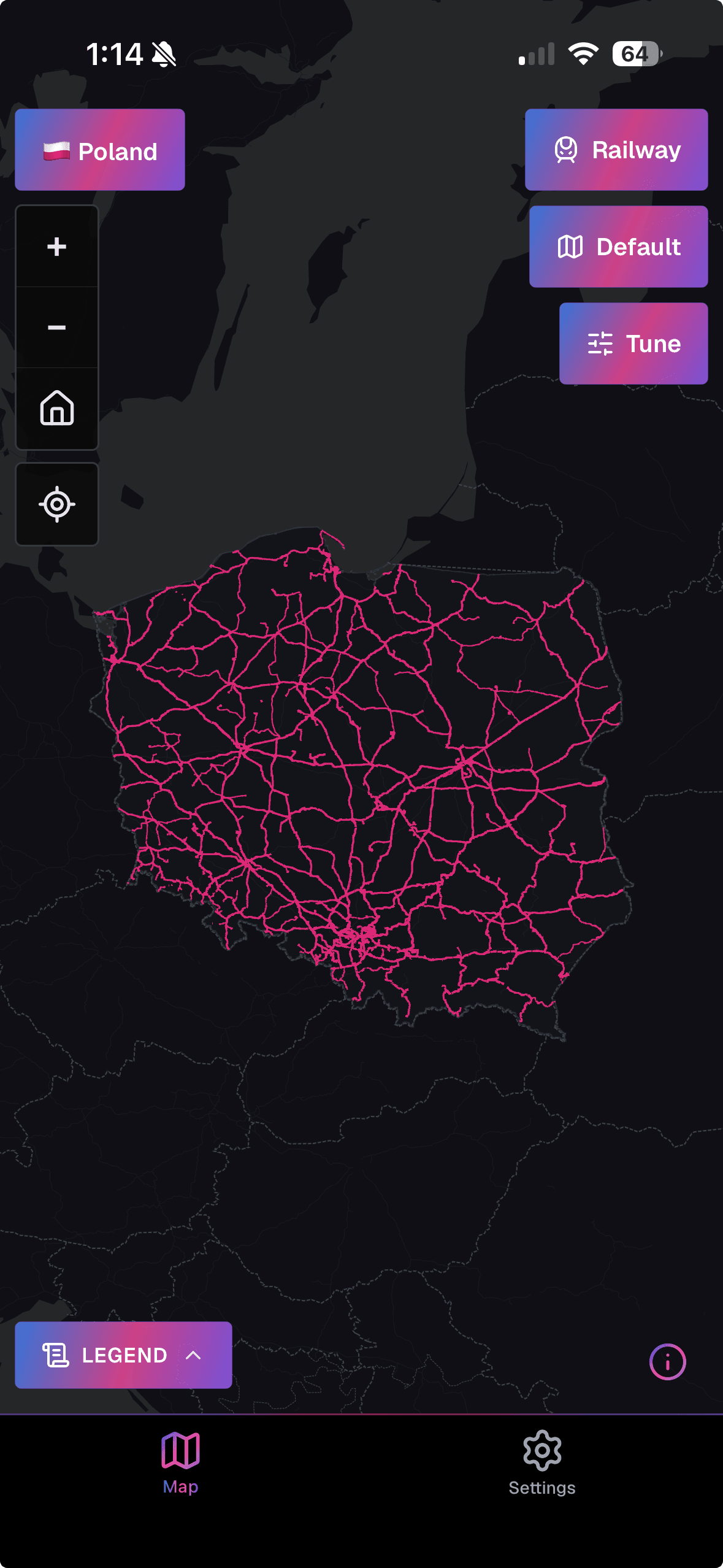
Map modes
Max speed, electrification (system and voltage), track gauge, usage, high-speed lines, stations and halts, level crossings by safety level, lines under construction, proposed lines, and a historical layer with disused and abandoned railways. Available modes depend on the region and rail type.
All rail types
Mainline railways, metro, tram, light rail, narrow gauge, monorail, funicular and miniature railways. Each type has its own map modes, and you can show related types together: metro with tram and light rail, mainline with stations and narrow gauge.
Layers & appearance
Vector basemaps in auto, light and dark, plus an OpenStreetMap-style Carto look. Show or hide bridges and tunnels, adjust rail layer opacity, toggle basemap labels, and overlay country and city boundaries. The app follows your system theme or the one you pick.
Offline maps
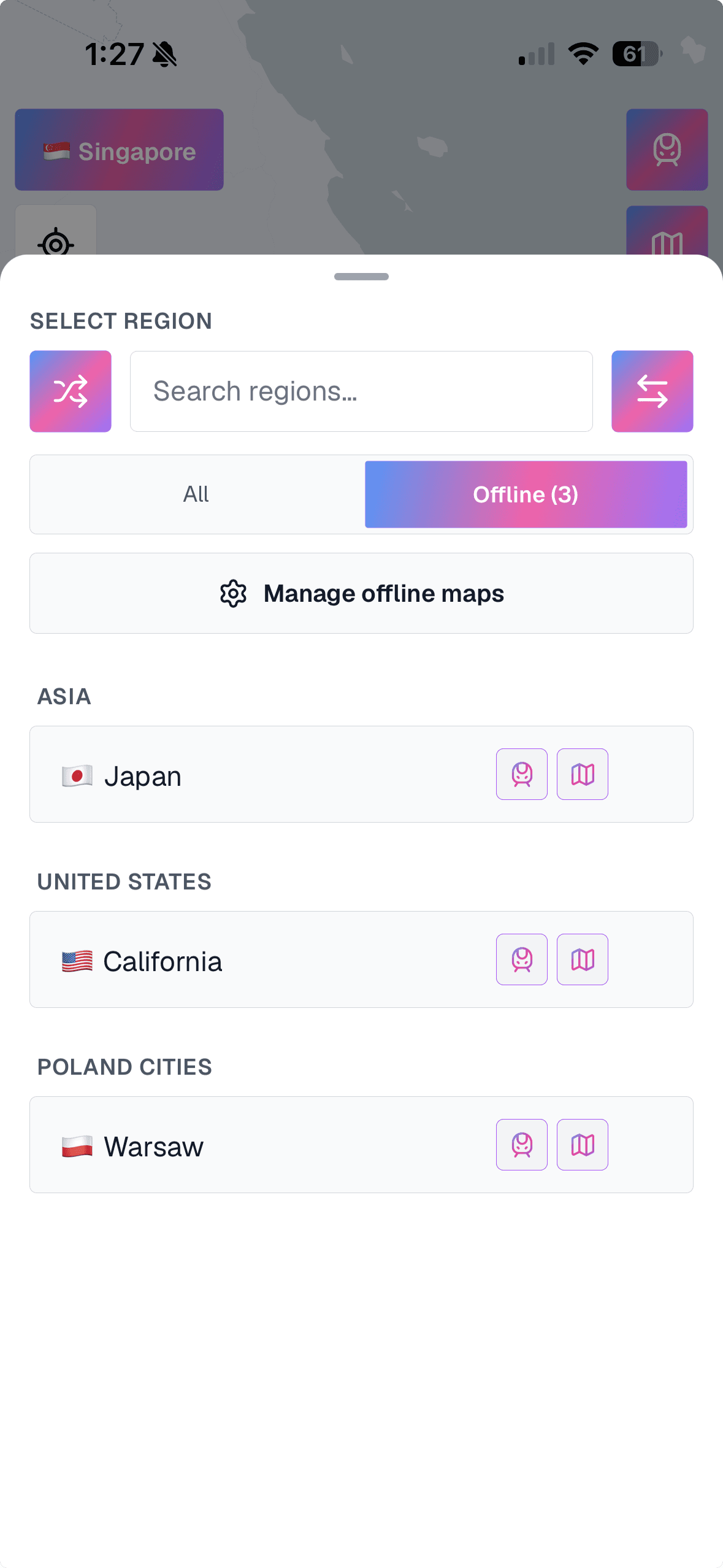
Offline packs
Download any region before you travel and the whole map works with no connection. City packs go deeper than country packs, and you see pack size and zoom range before you download. Packs are refreshed weekly.
Mobile data control
You decide how the app uses data: Wi-Fi only, mobile data, or strict offline mode, which uses only your downloaded packs and makes no network requests at all. Per-region storage use is shown so you can clear what you no longer need.
Compare regions
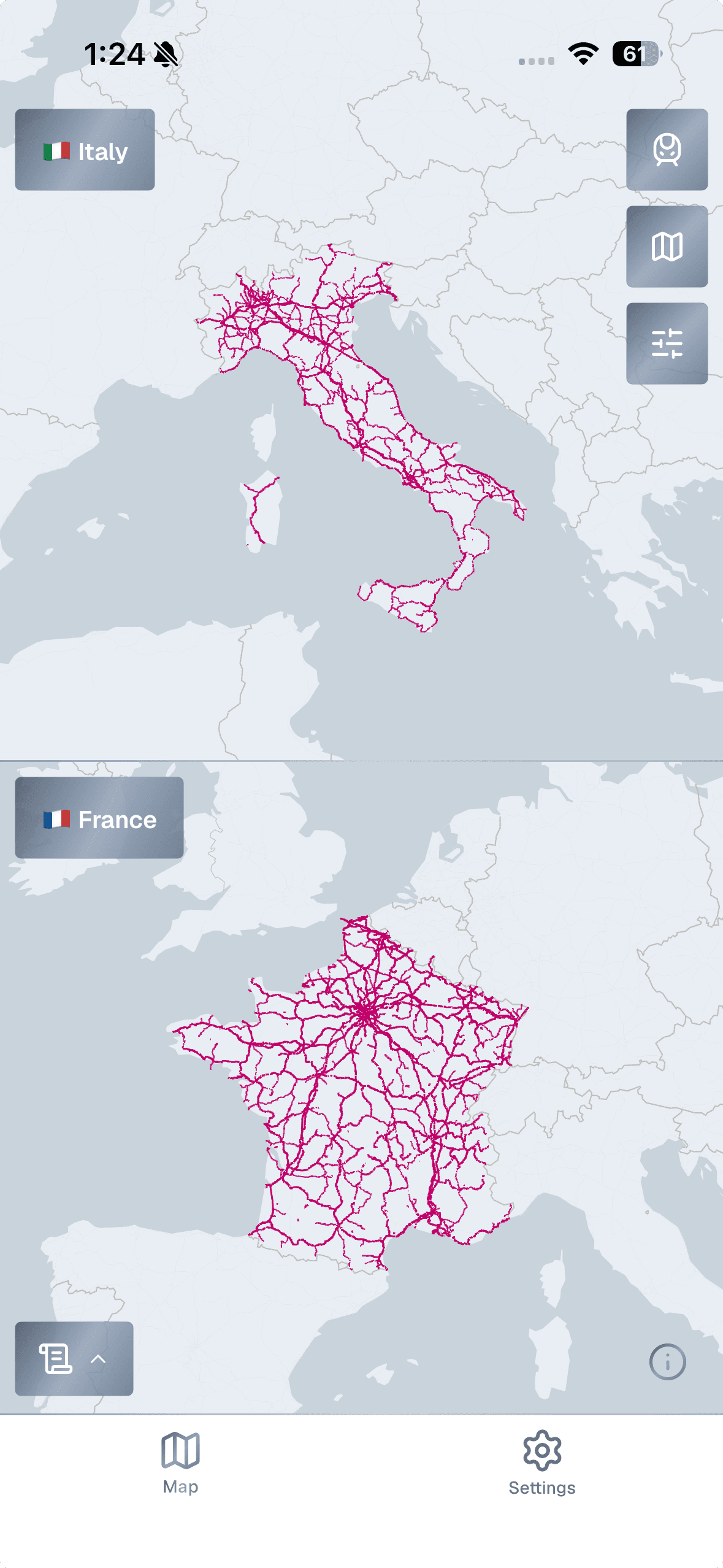
Compare two regions
Put two networks side by side on a split screen. Zoom and pan stay in sync, so you can compare electrification, gauge or high-speed coverage between countries or cities at the same scale.
Your map, your style
Build your own presets: line colors, widths and opacity for each rail type and map mode. Save up to 20 on your phone, with separate colors for light and dark maps, and switch between them in a tap. Two built-in presets, Default and FreakMaps, get you started.
Line & station details
Tap any line or station for its max speed, gauge, electrification, usage and a Wikipedia link where one exists.
Settings
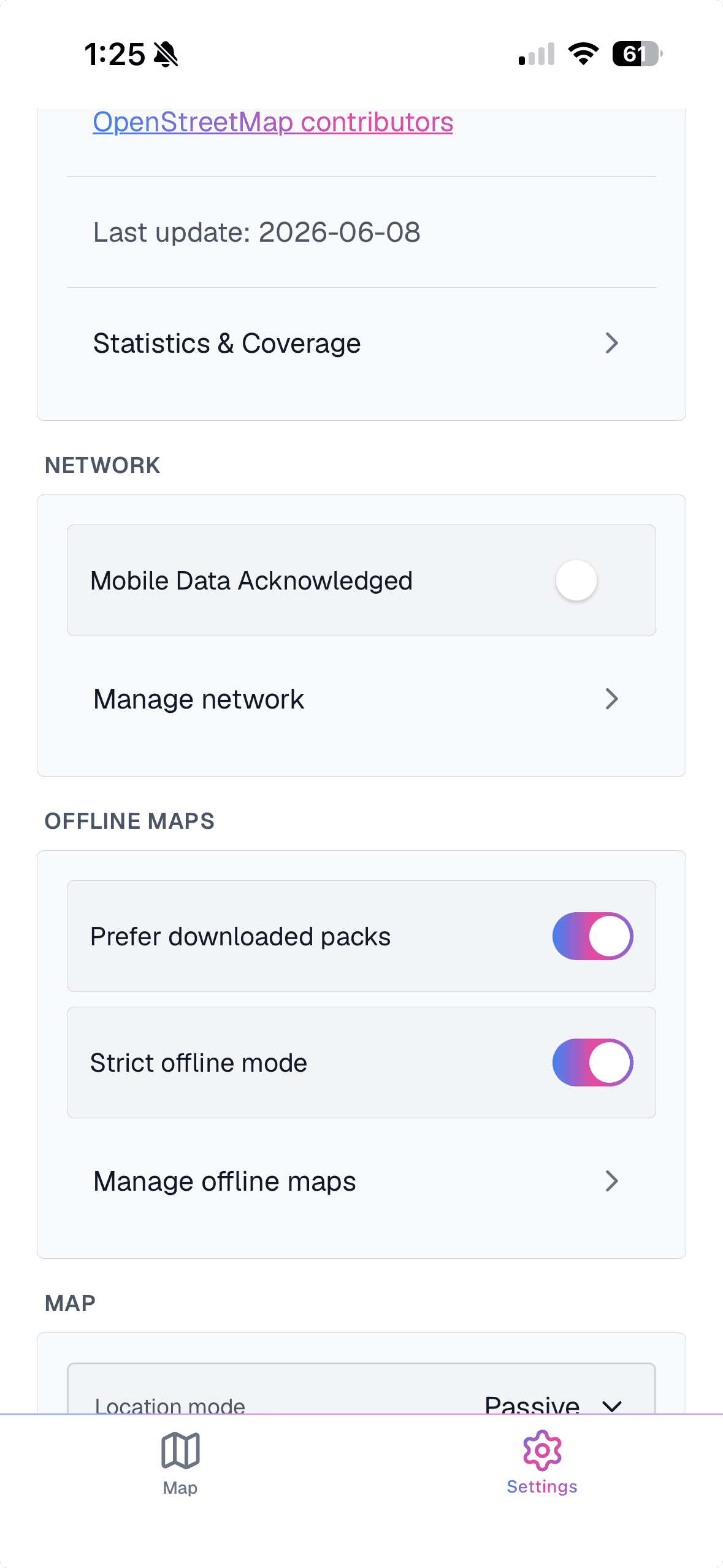
Your position on the line
Entirely optional. Show your position on the rail network in passive mode, or switch to active mode and let the map follow you along the line. Handy on heritage railways, long-distance trips and walks along abandoned trackbeds.
Frequently asked questions
- Does the app work offline?
- Yes. Download a region in Settings → Offline maps and every map mode works with no connection. City packs reach street-level zoom, country packs a regional zoom, and the range is shown before you download. Recently viewed areas are also cached automatically.
- Does RailsMaps work without the app?
- Yes. Every public railsmaps.com URL opens in any browser and stays free. The app is the same map on your phone, plus offline packs, on-device presets, optional position and a native interface.
- Will search or shared links open the app?
- Yes, once the app is installed. Any railsmaps.com map link from search results, messages or shared posts opens the matching view in the app. Without the app it opens on the web.
- Where does the data come from?
- From OpenStreetMap contributors, the same source as the website. Attribute completeness, such as speed, electrification and gauge, varies by region and depends on what contributors have mapped. Region packs are rebuilt weekly from fresh data.
- How much does RailsMaps cost?
- $4.99 once on the App Store or Google Play, with local pricing set by the store. No subscription and no ads. Every region, every map mode, offline packs and custom presets are included.
- Does the $4.99 purchase include future updates?
- Yes. New regions, weekly map data and app updates are included at no extra cost.
- What is the difference between the app and the website?
- Both use the same map data and the same modes. The app adds offline region packs, custom presets saved on your phone, optional position on the network and a native interface. The website stays free in any browser. Only the optional web export pass is paid.
- Does the app come with any web benefits?
- Yes. Sign in to the app with the account you use on railsmaps.com or freakmaps.com and claim 2 free weeks of the web export pass (one-time claim): custom styles, region clipping and watermark-free PNG export, on both RailsMaps and FreakMaps.
All rail, in your pocket
$4.99 once. Every region, every map mode, offline packs and all future updates. No subscription, no ads, and the web map stays free.
All data from OpenStreetMap contributors — detailed where the community is active, sparse where it isn't. Detail varies by region.